Apple's Shortcuts app offers iPhone users a simple way to automate everyday tasks, helping busy professionals save time during hectic mornings.
While Apple is expected to introduce a more intuitive way to create custom shortcuts using Apple Intelligence in iOS 27, several ready-made automations are already available to streamline daily routines.
Here are five iPhone Shortcuts that can make mornings more efficient:
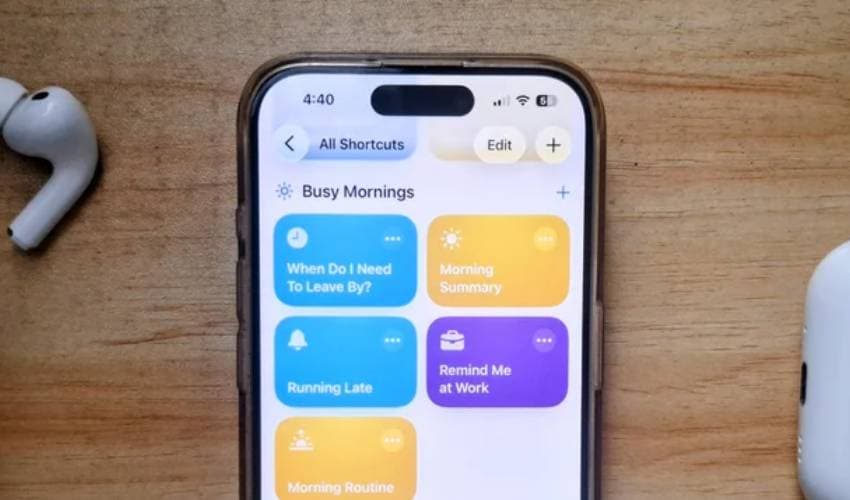
1. Morning Summary
The Morning Summary shortcut gathers key information into a single overview, including:
- Today's calendar events
- Due or overdue reminders
- Current weather conditions
- High and low temperatures
- Humidity levels
Using Apple Intelligence, the shortcut presents the information in a clean bullet-point summary, eliminating the need to check multiple apps.
2. When Do I Need To Leave By?
This shortcut calculates the ideal time to leave for work based on:
- Live travel time
- Home and office locations
- Work start time
- Additional walking time
Instead of manually checking navigation apps each morning, users receive an estimated departure time with a single tap.
3. Running Late
If you're running behind schedule, the Running Late shortcut can automatically calculate your estimated arrival time using your calendar event's location and prepare a message to notify your colleagues or manager.
Users simply choose the relevant event, review the message and send it.
4. Remind Me at Work
Location-based reminders become much easier with the Remind Me at Work shortcut.
After entering an office address during setup, users only need to type a reminder. The iPhone automatically sends the notification when they arrive at work.
The feature is useful for remembering tasks that need immediate attention after reaching the office.
5. Morning Routine
Users can also create a customised Morning Routine shortcut that combines multiple actions into one automation.
For example, a single tap can:
- Start a coffee or workout timer
- Play a favourite morning playlist
- Open an email or productivity app
- Adjust media volume automatically
The shortcut can be customised according to individual routines.
Apple Intelligence to simplify Shortcuts
Apple says iOS 27 will make creating custom shortcuts significantly easier through Apple Intelligence.
Instead of manually building automations, users will be able to describe what they want in plain language, and the AI system will generate the shortcut automatically.
The feature is expected to reduce the learning curve for the Shortcuts app while making automation accessible to more iPhone users.